Claude Code plugin

ANPOS Planner (Claude Code plugin)

Plan and build AI-native projects in Claude Code with real approvals

Coming soon

Not available to buy yet

Coming soon — join the waitlist to hear when ANPOS Planner is available.

Join the waitlist

We will email you when ANPOS Planner (Claude Code plugin) opens. No payment is taken.

Thanks — you are on the waitlist. We will email you when it opens.

Planned features

Planned features

/anpos:start detects your repo: Full ANPOS or Lite mode Evidence-backed research and competitive analysis Modular plans: phases, work units, traceability, risks Approval gates captured from your own message, never self-approved Supervisor/Worker team mode in separate git worktrees Branch rules for GitHub/GitLab plus guides for other hosts Plan export to Markdown, CSV and GitHub issues Free, local, no subscription

Requirements

Requirements

Claude Code and Python 3.9 or newer. On Windows, Git Bash. jsonschema is optional.

Platform

Claude Code plugin

Version

1.0.0 (in development)

Licence

Free · proprietary, all rights reserved

View source on GitHub

Product details

ANPOS Planner is a free Claude Code plugin that runs the ANPOS workflow inside your own repository, from idea intake and evidence-backed research to an approved, modular plan. Human approval gates are enforced by hooks, so Claude cannot approve its own plan.

ANPOS inside Claude Code

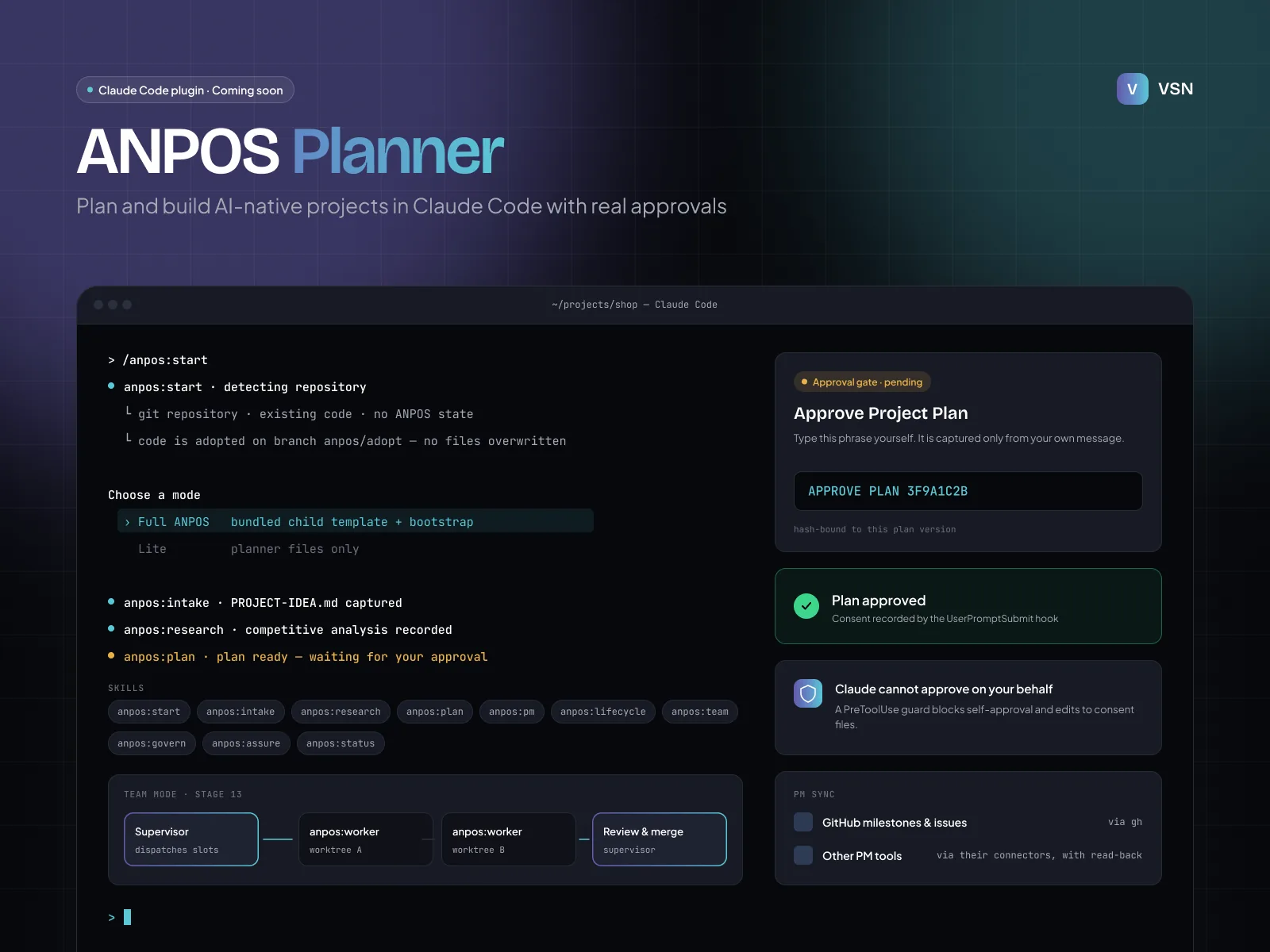
ANPOS Planner brings the AI Native Project Operating System (ANPOS 1.4.0) to Claude Code as a plugin. Type /anpos:start in a project folder and the plugin detects your repository. It then sets up either the full ANPOS control plane or a lightweight planner-only mode, without overwriting existing files. Existing codebases are adopted on a separate anpos/adopt branch.

From idea to approved plan

Skills guide you through intake, research with evidence IDs, market comparison, and a modular plan with phases, work units, traceability and risks. Approval is real: you type the approval phrase yourself, a hook records it, and a guard stops Claude from approving on your behalf. If the plan changes after approval, the validator tells you.

Build, govern and assure

After approval, the lifecycle skill runs stages 8–17 with exit checks. Team mode lets your session act as Supervisor while worker subagents build in parallel git worktrees. The govern skill applies recommended branch rules on GitHub or GitLab, or writes exact step-by-step guides for other hosts. Assurance, ADRs, an audit journal and plan export to Markdown, CSV or GitHub issues are included.

Free and local

No subscription, no licence key, no billing. All files stay in your repository.
You may also like